I wired a page-view counter to Workers KV on a quiet afternoon, pointed a quick loop of requests at it, and watched my logs fill with 429s. No crash, no timeout. Cloudflare just telling me, politely, that I’d misunderstood what KV is. I’d picked it because it was the first storage option I saw and I didn’t need the word “database” to be involved.
That’s the whole problem with this comparison. People treat KV and D1 as two flavors of the same thing. They’re two different bets on what you’re willing to give up. KV gives up consistency and write rate to get fast reads. D1 gives up geography to get SQL.
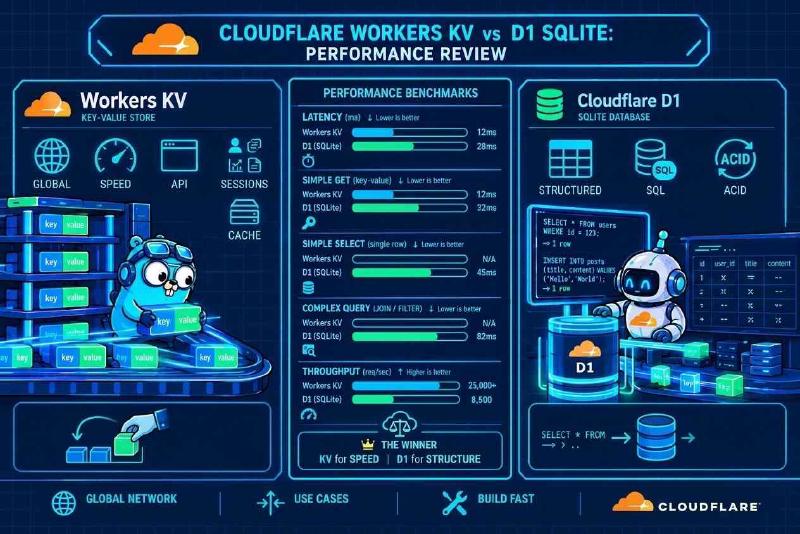
| Workers KV | D1 | |
|---|---|---|
| Data model | Key to value, up to 25 MiB | Relational SQL on SQLite |
| Reads | Fast when that location has the key cached | A round trip to the primary, or a replica if you opt in |
| Consistency | Same location sees writes at once, others lag up to about 60 s | Primary is current, replicas need the Sessions API |
| Write limit | 1 write per second per key, then 429 | One database processes queries one at a time |
| Size limit | 25 MiB per value | 10 GB per database, 500 MB on free |
| Fits | Config, flags, read-heavy cached data | Structured data you query and join |
Why KV reads are fast, and why they go stale #
The mechanism explains both. Writes go to central data stores, and reads are served from a cache at the location handling the request, so repeat reads of the same key never travel anywhere. A read is fast when that location already holds the key. A read for a key it has never seen takes the slow path back to the central store. I’m not putting a millisecond figure on either, because I couldn’t find one in Cloudflare’s docs.
The famous 60 seconds is cache expiry, not a replication pipeline grinding along. A write is visible immediately in the same location but can take up to 60 seconds, or your cacheTtl, to show up elsewhere. There’s a nasty corner too. Lookups for keys that don’t exist get cached as well, so a key you just created can still read as missing in another location for the same window. Create a key, read it from somewhere else, get null, and spend an hour debugging your own code.
This also kills a use case people keep recommending. Session tokens look like a natural fit for KV until you need to revoke one. A revoked token can stay valid in other locations until their cached copy expires. That’s my inference from the 60-second window, so check it against how fast you need revocation to land.
Why the write limit exists, and what to do about it #
KV allows one write per second to the same key, and writes inside that second get 429 errors. My read on why: every location caches independently, so there’s no way to keep rapid same-key writes ordered across the network. The platform refuses them instead of promising something it can’t deliver.
That’s what happened to my counter. Even below the limit, a counter on KV loses increments, because two requests can read the same value and both write the same number plus one. Cloudflare’s own docs say if you’re updating one key tens or hundreds of times a second, KV is a poor fit, and Durable Objects offer a key-value API with higher per-key write rates. They also describe a pattern for getting write-after-write consistency: route all writes for a key through one Durable Object and read the result from KV in other Workers. Counters and rate limiters belong there.
D1, and the geography you can’t escape #
D1 is SQLite with a network in front of it. Without read replication, every query, read or write, goes to one primary instance in one location, and request latency depends on how far the user is from it. So the claim that D1 bindings are zero-latency is wrong. The binding is a local function call. The query behind it is a network trip, and sequential queries stack those trips. Cloudflare’s own changelog notes that cross-region requests are where network latency becomes an outsized factor.
There are two fixes. The first is placement: Smart Placement can run your Worker close to a backend like a database, cutting the round-trip latency between them. The second is read replicas, with strings attached. You have to use the Sessions API, otherwise every query still goes to the primary. Replicas are asynchronous copies, so the Sessions API attaches a bookmark to your session and makes sure you never read a version older than your last write. Replicas don’t touch write latency, because writes are still forwarded to the primary. The last coverage I found still labeled the feature a beta, so check its current status before you build on it.
Writes, batching, and what “transaction” means here #
Each D1 database is single-threaded and processes queries one at a time. People call this row-level locking. It’s worse than that: the whole database is the unit. If Tokyo, London and New York all write at once, they queue at the primary, and read replicas don’t help.
Batching is the one real lever. A batch is treated as a SQL transaction, and if any statement fails, the whole sequence aborts or rolls back. It’s also faster for a plain reason: a batch costs one round trip, while separate calls pay one each. I’m not quoting a percentage, because the saving depends on how far your Worker sits from the primary. The farther apart they are, the more it matters.
Don’t read “transaction” as “full ACID app logic,” though. D1 runs in auto-commit, and a batch is a fixed list you send up front. You can’t read a row, run your own code on it, and then decide what to write inside the same atomic unit. Anything that needs that back-and-forth won’t fit in a batch. If you need it, restructure so the logic lives in SQL, or move that piece somewhere that can host it.
Plan for the ceilings too. A D1 database tops out at 10 GB on Workers Paid and 500 MB on Free, with no way to raise it, and a Worker invocation gets 1,000 queries on Paid but only 50 on Free. Hit the size cap and you shard across databases.
Using both without hurting yourself #
The pattern that holds up is boring. D1 is the source of truth for anything structured you query. KV holds read-heavy derived data that tolerates a stale minute: config, feature flags, rendered fragments, with cacheTtl tuned to match. A Durable Object takes anything that counts, limits or locks.
None of these is the fast one or the safe one. KV costs you a minute of staleness and a hard write ceiling. D1 costs you a round trip across the ocean and a single writer. Pick whose failure you can live with, then design around it.